
DETECTOR HELP · POWER
Metal detector will not turn on: safe fault checks
A safe no-power checklist for AA and rechargeable metal detectors, including charging, contacts, moisture, connectors and when to seek service.
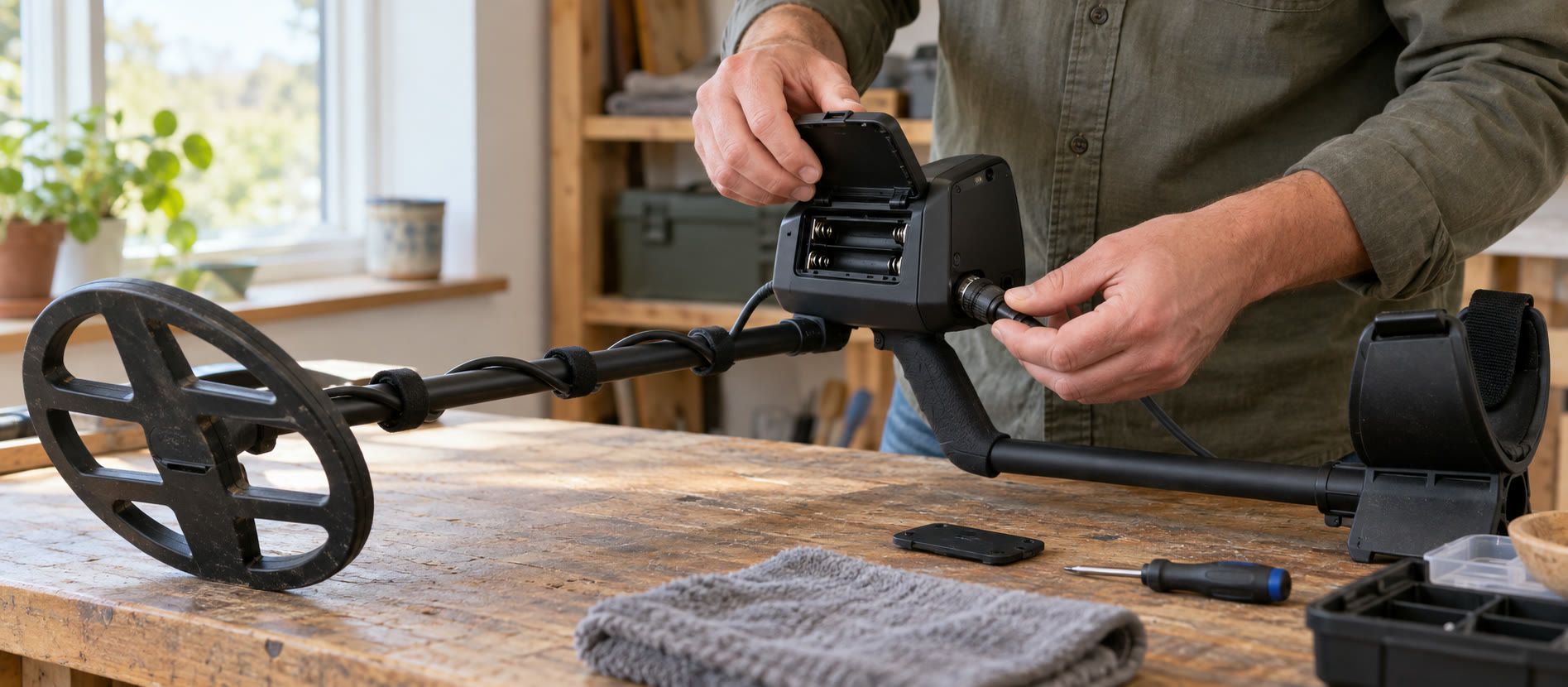
Confirm the correct power-button action and visible battery or charge state.
Check removable cells and accessible contacts only as the manual permits.
Isolate moisture or impact damage and use authorised support if power remains absent.
Check the simple causes first
Move to a clean, dry place and switch the detector off. Look up the exact model's power-button instruction: a long press, transport lock or low-battery shutdown can be mistaken for a dead machine. Confirm the screen is not merely hard to see in strong light. Disconnect accessories only as the manual allows, then try the manufacturer-specified start sequence once. Repeatedly pressing a possibly wet control is not useful.
If the machine uses removable AA cells, fit a fresh, matched set in the correct orientation. Do not mix old and new cells, or alkaline and rechargeable chemistries. Check that the compartment closes squarely and look for obvious corrosion or debris on accessible contacts. Minelab's VANQUISH 340 manual specifically warns against mixing rechargeable and non-rechargeable batteries. Garrett's ACE 300i manual specifies four AA cells. Do not scrape, bridge or flood contacts; consult service if damaged.
Rechargeable detector: verify the charging path
Use the specified cable and a suitable power source. Check that the external charging contacts are clean and dry before connection. Allow the manual's charging time and check its charging indicator. A different cable or power bank may help diagnose the external supply, but do not improvise a connector, open the case, or charge a device that is wet, swollen, unusually hot or visibly damaged. The current VANQUISH 360 has an internal rechargeable lithium-ion battery and magnetic USB charging; old 340 AA advice is not applicable to it. See battery care for storage and charging habits.
After rain, salt water or a knock
Stop and inspect visible caps, cable strain relief and housing for cracks or missing seals. Keep the unit off and away from chargers if water may have entered. A “waterproof” rating applies only to the stated model and intact, correctly closed assembly. Do not attempt a submersion test to see whether it has recovered. Waterproof seal care explains the prevention checks. Impact damage, internal condensation, a hot battery or a burning smell are reasons to stop and contact an authorised dealer or service centre.
When it is not a power fault
If the display lights but no target makes a sound, check volume, headphones, mute and coil connection following the manual. If the detector powers up but chatters, use our false-signals guide and coil-cable checks. A firmware update is not a first response to a dead or wet detector; it requires a stable device and the manufacturer's exact procedure.
Before buying a replacement
Record model, serial number, purchase details, battery or charger used and the symptoms. Ask the retailer or manufacturer about warranty and authorised service. If repair is uneconomic, compare the actual missing capability before replacing the machine; when to upgrade is the next decision. The current VANQUISH 360 is one possible mixed-ground replacement, not a diagnosis or a drop-in substitute for every coil and accessory.
Common questions
Frequently asked questions
What should I check first if my detector is dead?
Use the exact model's power sequence, then check its battery or charging path on a clean, dry bench.
Can I mix old and new AA batteries?
No. Use a matched set of the specified type and orientation; do not mix alkaline and rechargeable chemistries.
Should I charge a detector after water may have entered?
No. Keep it off and seek authorised support rather than applying power or opening a sealed housing.
Could silence be a headphone fault?
Yes, if the display powers on. Check volume and supported headphones and coil connection according to the manual.