
Help · MAINTAIN 50
Metal detector maintenance and storage guide
Maintain a metal detector after field and beach use with safe cleaning, coil, cable, shaft, battery, charging, storage and service checks.
Waterproof construction does not make every port safe to rinse or charge while wet.
Cable strain, grit in joints and contamination under a coil cover cause avoidable faults.
The exact manufacturer manual overrides any general routine.
A five-minute routine after every search
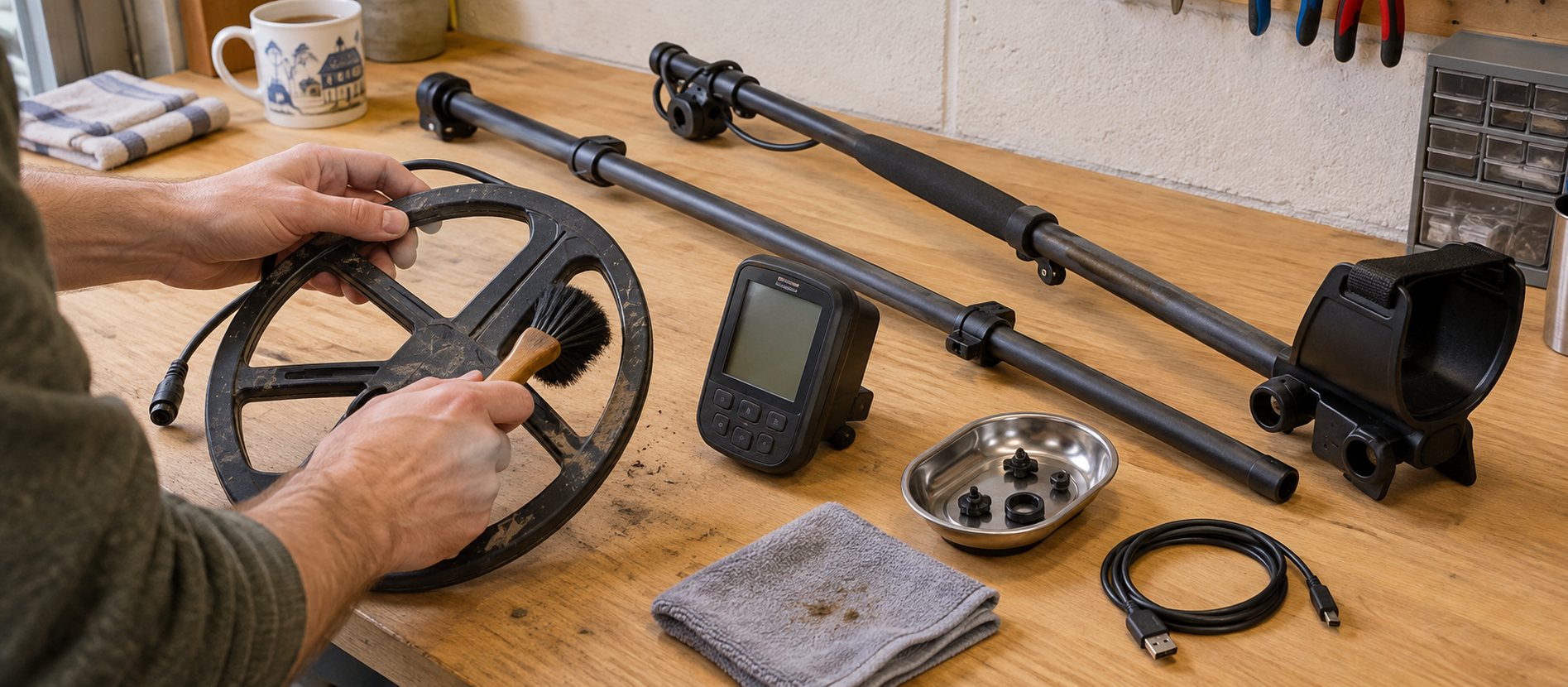
Turn the detector off, remove loose soil with a soft brush or dry cloth and inspect the coil, skidplate, cable, connector, shaft joints and arm cuff. Check that fasteners remain snug without overtightening them. Empty the finds pouch away from the detector so sharp scrap cannot scratch the control unit or cable.
For an ordinary dry inland session, this may be enough. Mud, salt water, rain or immersion require a more complete routine. Do not spray a product into a connector or cam lock unless the exact manual authorises it.
Start with the waterproof boundary
A waterproof coil does not prove that the control box, headphone socket or charging port can be submerged. Find the stated rating for the complete model and note which caps, plugs or seals must be fitted. If the detector is coil-only waterproof, clean the shaft and coil without allowing water to run towards the control unit.
Even on a fully waterproof detector, charging connections must be clean and dry before power is connected. Inspect O-rings and sealing surfaces without stretching, greasing or replacing them with unapproved parts.
Cleaning after a dry field
Brush soil from the coil edge, lower shaft and joints. Wipe the display with a clean soft cloth rather than rubbing gritty dust across it. If the skidplate can be removed under the manual, check beneath it for compacted soil and reinstall it only when both surfaces are clean and dry.
Avoid compressed air at close range. It can drive grit into seals and controls. Do not use abrasive pads, solvent, petrol, household polish or a pressure washer.
Cleaning after mud and rain
Allow thick mud to soften only on parts that may safely be wetted. Use gentle fresh water and a soft brush rather than forcing grit through telescopic joints. Separate shaft sections if the manual allows it, clean the contact surfaces and dry them before reassembly.
Mud inside a cam lock acts like grinding paste. If a joint becomes stiff, stop forcing it and clean it properly. Lubricant can trap more grit and may damage plastics or seals, so use it only when the manufacturer specifies the exact product and location.
After salt water or beach sand
Salt attracts moisture and accelerates corrosion. Rinse all permitted waterproof parts with clean fresh water as soon as practical, moving joints gently so trapped salt can escape. Keep a non-waterproof control box above the rinse and wipe it separately.
Remove the coil cover only by the approved method, because wet black sand trapped beneath it can cause false signals and abrasion. Clean cable grooves, bolt areas and shaft collars without pulling the cable tight. Leave ports open only if the manual explicitly instructs it and they are protected from new dust.
Follow the detailed after-beach cleaning guide for a step-by-step waterproof boundary check.
Inspect the coil and cable
Look for splits, deep wear, swelling, exposed conductors and damage where the cable enters the coil or connector. The cable should be wrapped firmly enough not to flap but with sufficient movement at the lower joint for coil angle adjustment. A tight wrap can pull the entry point whenever the coil is folded.
Never lift or carry the detector by its cable. Align connector pins carefully and tighten only as instructed. If the detector becomes noisy after reassembly, switch it off and recheck the connector rather than repeatedly twisting it while powered.
The skidplate is a replaceable wear surface, not permission to scrape the coil across stones. Replace it when cracks or thinning stop it protecting the coil evenly.
Shaft, cuff and fasteners
Check that telescopic sections lock without excessive force and that the arm-cuff hardware has not loosened. Sand and soil can score carbon-fibre or aluminium shafts; clean contact surfaces before collapsing the machine for transport.
Use the correct non-metallic coil bolt and washers. Overtightening can compress washers, crack lugs or prevent smooth angle adjustment. A coil that will not hold its position may need the approved washers rather than more force.
Rechargeable battery care
Charge with the manufacturer-approved cable, power specification and environment. Do not charge a wet, very cold, overheated, swollen or damaged detector. Keep the charging contacts free from salt and grit and stop using a battery that smells unusual, becomes hot or changes shape.
For long storage, follow the exact manual. Some manufacturers recommend a partial state of charge, often around the middle rather than completely full or empty, but the correct interval and percentage vary by battery and model. Recharge at the stated interval and store away from heat, frost and direct sun.
For removable alkaline batteries, remove them before long storage to reduce leakage risk. Never mix old and new cells or different chemistries.
Headphones, pinpointers and accessories
Wipe headphone pads and let them air-dry away from direct heat. Clean plugs before insertion and keep non-waterproof headphones out of rinse areas. Recharge wireless equipment separately and inspect its cables for strain.
A pinpointer that is waterproof still needs fresh-water cleaning after salt use. Check its battery cap and seal, and remove a replaceable battery for long storage. Clean the finds pouch and spade before returning them beside the detector so damp soil is not transferred back to the case.
Firmware and settings records
Use only the manufacturer's official updater and instructions. Charge the detector first, use a reliable cable and do not disconnect power during an update. Record custom settings because a firmware installation or factory reset may remove them.
Firmware is not routine maintenance if the detector is working and the release offers nothing relevant. Read the change notes and confirm that the update applies to the exact model.
Safe transport and storage
Store the detector clean, dry and supported in a cool indoor place. Do not leave it under heavy equipment, in a hot car or permanently folded with the cable under tension. A padded bag can protect the machine in transport, but sealing residual moisture inside a bag encourages corrosion and odour.
Loosen the shaft only as needed for packing and position the coil so its lugs are not carrying weight. Keep spare batteries protected from short circuits. Store the manual, charging lead and model-specific waterproof audio adaptor together so an incorrect accessory is not forced into a port.
A monthly or pre-season inspection
Under good light, inspect:
- the coil shell, skidplate, bolt and washers;
- the complete cable and strain-relief points;
- connector pins, caps and sealing surfaces;
- shaft joints, locks and arm-cuff fasteners;
- charging cable and power source;
- display cover, buttons and speaker openings;
- battery condition and stored charge;
- headphones and other paired equipment.
Note a developing fault rather than compensating for it with sensitivity changes. Intermittent falsing that follows cable movement, water inside a display, heat during charging or a damaged battery needs service advice.
When to use authorised service
Stop using the detector after water ingress, a swollen battery, damaged charging hardware, exposed cable conductors or repeated resets. Do not open a sealed control unit or attempt a battery replacement unless the manufacturer provides a user procedure. Unauthorised opening can defeat waterproofing and create a battery hazard.
Keep the model, serial number, purchase details, photographs and a concise fault description. Explain the ground and conditions in which the issue occurs and which safe checks you completed. A reproducible description is more useful to service staff than “it sometimes chatters”.
Fully waterproof models such as the SIMPLEX Ultra still rely on correct caps, connectors and drying before charging.
Maintenance should make the detector predictable, not cosmetically perfect. Gentle cleaning and regular inspection preserve more equipment than aggressive dismantling or unapproved chemicals.
Common questions
Frequently asked questions
How often should I clean my metal detector?
Remove loose soil and inspect the coil, cable and shaft after every search. Complete a fresh-water clean after salt exposure and deal with mud before it hardens in joints, always within the model's waterproof limits.
Can I rinse a waterproof metal detector?
Only within the complete detector's stated rating and with all required caps and seals fitted. A waterproof coil alone does not make the control box or charging port safe to rinse.
Should I lubricate metal detector shaft joints?
Not unless the manufacturer specifies the exact lubricant and location. Oil or grease can trap abrasive grit and may damage plastics or seals; cleaning and drying the joint is usually the first step.
How should I store a rechargeable detector?
Store it clean, dry and supported in a cool indoor place, with the cable free from strain. Follow the manual's long-storage charge level and recharge interval because battery requirements vary by model.
Helpful products
Waterproof detectors still need planned aftercare
These fully waterproof models suit wet use within their ratings, but salt, sand, connectors and rechargeable batteries still require the manual's cleaning and storage routine.

Upper mid-range
Minelab X-TERRA ELITE
Best for: Regular field, park and beach use where stable mixed-ground performance and detailed controls justify a higher budget.
- Multi-IQ; 15 kHz inland option
- Whole detector to 5 m (IP68)
- 1.3 kg
Multi-IQ simultaneous multi-frequency operation, six search profiles and a 5 m waterproof build make this a capable step-up detector for varied UK ground.
Know before buying: Its larger coil and deeper menu demand more concentration than a simple starter model, and wireless audio uses Minelab's compatible low-latency system rather than ordinary Bluetooth.

Settings-led beginner
Nokta SIMPLEX Ultra
Best for: Inland permissions and freshwater use for a beginner who wants settings to learn rather than automatic multi-frequency operation.
- 15 kHz single frequency
- Whole detector to 5 m (IP68)
- 1.2 kg
A fully waterproof 15 kHz detector with six search modes, manual or automatic ground balance and unusually detailed tone and recovery controls for the price.
Know before buying: Beach mode helps with salt response, but the single 15 kHz platform can still need lower sensitivity and careful ground setup on wet salt sand.