
FIELD KIT · PRACTICAL GUIDE
Wired vs wireless metal detector headphones
Compare wired and wireless metal detecting headphones for UK field use. Check sockets, latency, pairing, battery life and waterproof limits before buying.
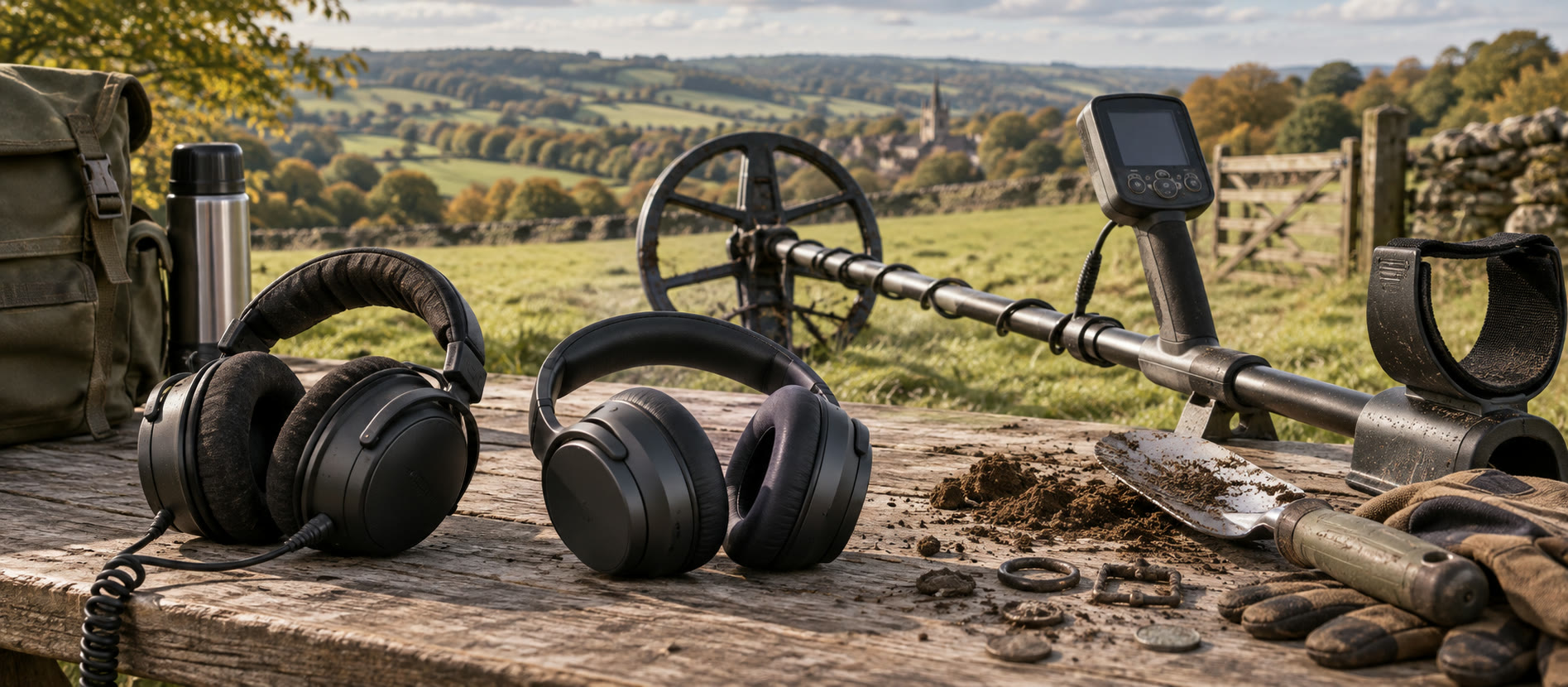
Confirm the exact detector socket or supported wireless protocol first.
Check audio delay, battery management and separate water ratings.
Keep enough environmental awareness for people, animals and machinery.
The useful difference is compatibility, not fashion
A wired headphone cable can snag a spade, pouch or hedge, but its sound path does not depend on charging or pairing. Wireless reduces that moving cable. In exchange, you must match the detector's transmitter and the headphone's protocol, account for latency, charge the battery and check what happens if a connection drops. “Bluetooth compatible” is not enough information: ordinary Bluetooth audio can be delayed compared with purpose-designed low-latency systems. The headphones comparison covers exact catalogue models.
Start with the detector end
Read the machine's manual for its 3.5 mm or 6.35 mm socket, supported wireless standard and whether plugging in a cable changes speaker output. An adapter can solve a plug-size mismatch but not every wiring or waterproof-seal issue. Never force a connector into a recessed port. Keep the port cap and cable strain relief clean after wet trips. The X-TERRA PRO model guide is one example where model-specific accessories matter.
Where wired headphones win
A wired set can be a sensible spare even if you normally search wirelessly. You know whether sound is reaching the ears without checking a battery; this can help when diagnosing a silent machine. The Minelab Koss UR30 in our catalogue is a detector-specific wired example, but its fit and connector still need to match your exact detector. Route the cable with a loose loop so it does not pull the plug when you kneel.
Where wireless headphones win
Wireless is useful when a cable repeatedly catches on clothing or a digging tool. Minelab's ML85 is a low-latency model intended for supported newer Minelab detectors and includes a cable option; it is not universal for every Minelab or standard Bluetooth machine. Check the compatibility list, pairing instructions and charging method before ordering. Do not assume a wireless headset is waterproof because the detector is.
Wet weather and hearing the world
A fully waterproof detector does not make attached headphones waterproof. Check the exact headphone and connector instructions before rain or shallow-water use; a dry-land headset should remain out of water. On fields, keep volume low enough to hear an approaching person, animal or vehicle. Some detectorists prefer one ear uncovered where this is safe and lawful; audio preferences are personal, and hearing protection is a different task.
A practical way to decide
If you already own a working wired set, test it on the actual detector before spending more. If cable snagging causes repeated problems, verify a specific supported wireless model and compare its delay in real signals. Pack a charged spare or cable where the manufacturer allows it. For a first-day setup, set up your detector at home so the field session is not spent solving pairing. No listing can guarantee a comfortable ear cup or safe audio awareness for every user.
Common questions
Frequently asked questions
Are all Bluetooth headphones suitable for metal detecting?
No. Check the detector's supported protocol and audio latency; ordinary Bluetooth can delay a signal.
Can I use wired headphones on a waterproof detector?
Only if the detector's connector and headphone combination are specified for the conditions. Ordinary wired headphones may not be submersible.
Do wireless headphones need a backup?
A cable or spare audio method is useful where the manufacturer supports it, because batteries and pairing can fail.
Will Minelab ML85 pair with every Minelab detector?
No. Check the manufacturer's exact compatibility list; proprietary wireless systems differ by model.
Helpful products
Kit that fits this decision
The linked examples are relevant to the guidance above; check exact compatibility and current retailer details before buying.

Premium wireless headphones
Minelab ML85 Headphones
Best for: X-TERRA PRO, X-TERRA ELITE, EQUINOX 700/900 and MANTICORE owners who want the intended wireless connection.
- Low-latency 2.4 GHz wireless
- Not submersible
- 221 g
Low-latency wireless audio, a detachable 3.5 mm cable and long rechargeable runtime make the ML85 a flexible match for supported newer Minelab detectors.
Know before buying: Minelab's wireless system is proprietary and model-specific; these are not submersible and do not wirelessly pair with older models such as the EQUINOX 800.

Wired specialist headphones
Minelab Koss UR30 Headphones
Best for: GPZ 7000, GPX 5000/4500 and CTX 3030 users who want a direct wired connection and no battery to charge.
- 6.35 mm wired connection
- Not waterproof
- 100-ohm full-size headset
A durable 100-ohm wired headset with a 6.35 mm plug, intended for specific Minelab detector families that provide the matching socket.
Know before buying: The 6.35 mm plug is not a direct fit for many current 3.5 mm detectors, and these headphones are not waterproof.